Running a WooCommerce store gives you access to customers online, but what happens when visitors speak a different language? If your store is available only in English, you may be missing opportunities to sell your products to customers in other countries.
The good news is that you don’t need to build separate websites, hire a developer, or translate every product manually. With the right WordPress translation plugin, you can make your WooCommerce store multilingual automatically.
In this guide, you’ll learn how to translate your WooCommerce store, including product pages, descriptions, categories, and other store content, without writing a single line of code.
Why make your WooCommerce store multilingual?
Selling internationally is easier when customers can browse your store in their preferred language. Even if your products are available worldwide, language barriers can make it harder for visitors to understand what you sell and decide whether to buy.
A multilingual WooCommerce store helps you:
- Reach international customers: Make your products accessible to shoppers who speak different languages.
- Improve the shopping experience: Let visitors read product descriptions, category pages, and other content in a language they understand.
- Expand into new markets: Make your online store more accessible to potential customers in different countries.
- Build customer confidence: Clear product information helps shoppers understand what they’re buying.
- Support international SEO: Properly implemented translated pages and language signals can help search engines discover and understand your multilingual content.
You don’t necessarily need a separate WooCommerce installation for every language. A translation plugin can help you provide multilingual content while continuing to manage your store through WordPress.
What should a WooCommerce translation plugin translate?
A good solution should do more than translate your homepage. Your customers need to understand the entire shopping experience, from discovering a product to reviewing their order.
Depending on the plugin and its compatibility with your store, the following content can be translated automatically.
1. WooCommerce product pages
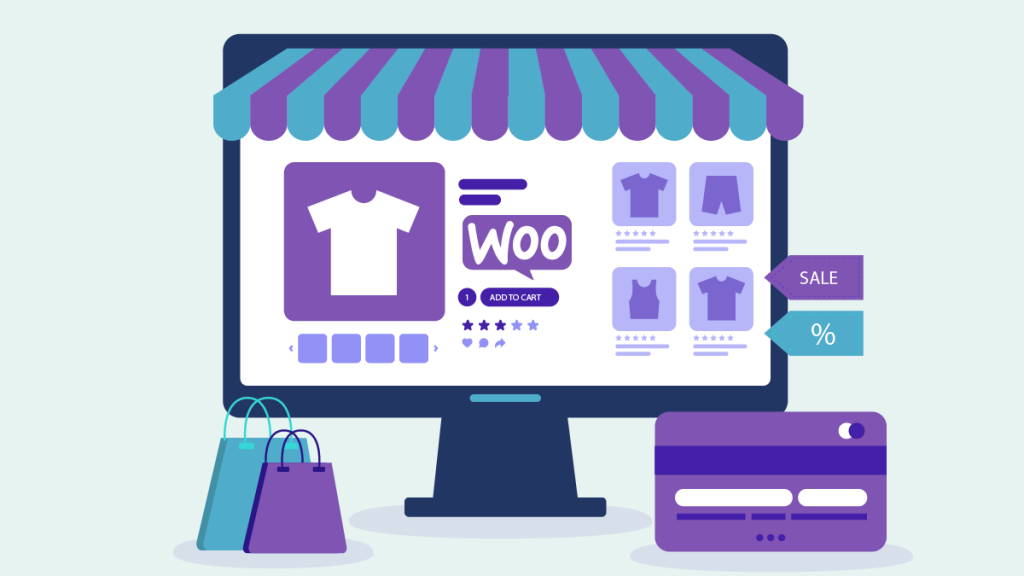
Product pages contain the information customers need to make purchasing decisions. Translating this content makes your products accessible to a wider audience.
This includes product titles, descriptions, short descriptions, and other visible product text.
For example, a customer browsing your English store from Spain could view translated product information in Spanish instead of struggling to understand the original content.
2. Product descriptions
Product descriptions explain a product’s features, benefits, materials, dimensions, and uses. If these details remain in a language your customers don’t understand, they may leave without purchasing.
Automatic translation helps make product information easier to understand without requiring you to translate each description manually.
This is especially useful for stores with hundreds or thousands of products.
3. Product categories and shop pages
Your shop page, category names, and other product listings help visitors navigate your store.
Translating these elements makes it easier for international customers to browse your catalog, discover relevant products, and find what they need.
A multilingual store should aim to provide a consistent experience across product listings and individual product pages.
4. Shopping cart and checkout text
The cart and checkout are important parts of the customer journey. Customers should be able to understand visible instructions, buttons, and messages when completing a purchase.
Translation coverage depends on the plugin and the WooCommerce theme, checkout implementation, and extensions you use. After installing a translation plugin, test the complete shopping process to confirm that the relevant text is displayed correctly.
5. Other WordPress content
Your WooCommerce store is more than its products. Customers may also visit your homepage, about page, contact page, shipping information, return policy, and frequently asked questions.
A website translation solution can help make this additional content available in other languages, giving international visitors a more consistent experience.
How to make a WooCommerce store multilingual without coding
The traditional approach to multilingual eCommerce can involve installing several plugins, configuring language settings, creating translated versions of products, and maintaining multiple sets of content.
A simpler option is to use a WordPress translation plugin that automatically translates your website’s visible content.
With the translate.js WordPress plugin, you can get started without manually translating every product or editing your theme’s code.
Follow these steps to make your WooCommerce store multilingual.
Step 1: Install the WordPress Translation Plugin
Log in to your WordPress dashboard and install the translate.js plugin.
You can generally install it by navigating to Plugins → Add New Plugin, searching for the plugin name “TranslateJS”, and selecting Install Now.
Once installed, activate the plugin and follow the short instruction in the plugin.
Step 2: Configure Your Translation Settings
Open the plugin settings and configure the available language options.
Choose the languages you want to offer to your visitors and customize the language switcher if these options are supported by your plugin configuration.
Think about the countries you want to reach. For example, an English-language store might add Spanish, French, German, Italian, or Portuguese to make its content accessible to more international shoppers.
Choose languages that match your target markets rather than adding languages you don’t intend to support.
Step 3: Let the Plugin Translate Your Store Automatically
Once the plugin is configured, visitors can use the language switcher to view your store in another language.
With translate.js, the goal is to make your WooCommerce store multilingual without requiring you to manually translate every product, description, and page.
Depending on the plugin’s supported content and implementation, this can include:
- Product titles and descriptions
- Short product descriptions
- Shop and category pages
- Homepage and other website pages
- Navigation menus and visible interface text
- Other supported website content
This is particularly helpful for large WooCommerce catalogs. Instead of managing separate translations for every product, you can use automatic website translation to reduce the amount of manual work involved.
The key advantage is simplicity: install the plugin, configure the languages, and let the translation solution handle supported content automatically.
Step 4: Customize the Language Switcher
Your customers need an easy way to change languages.
A language switcher allows visitors to select their preferred language while browsing your store. Depending on the available settings, you may be able to adjust its appearance, colors, and position.
Consider placing the switcher somewhere easy to find, such as your website header or a fixed position on the screen.
Make sure it works on both desktop and mobile devices. International customers should be able to change languages without having to search through your navigation.
Step 5: Test Your Multilingual WooCommerce Store
Before promoting your store internationally, check how the translated content appears.
Open several product pages and switch between languages. Review product names, descriptions, category pages, navigation, and important customer information.
Pay particular attention to:
- Product titles and descriptions
- Prices, currencies, and product variations
- Add-to-cart buttons and cart messages
- Checkout fields and order confirmation messages
- Shipping and return policies
- Mobile layouts and the language switcher
Automatic translation can save significant time, but it does not guarantee that every translation will be perfect. Product specifications, legal information, and other important content may need human review.
Also, translation does not automatically change your store’s currency, shipping availability, taxes, or payment methods. Those settings must be configured separately if you plan to sell in different markets.
Can you translate WooCommerce products automatically?
Yes, automatic website translation can make product content available in multiple languages without requiring you to manually create a translation for every product.
This is one of the most useful benefits for stores with large product catalogs.
Imagine running a store with 500 products. Translating every title, short description, long description, and category manually into several languages can require a substantial amount of time.
A website translation plugin can reduce that workload by automatically translating supported content when visitors select another language.
However, the exact coverage depends on how the plugin works. Some solutions translate visible website content dynamically, while others create and manage separate translated content within WordPress.
These approaches can differ in their compatibility with product variations, third-party extensions, dynamic checkout elements, and search engine indexing.
Before choosing a solution, check that it supports the parts of WooCommerce your store relies on.
Does a multilingual WooCommerce Store help with SEO?
A multilingual store can create additional opportunities to attract customers through search engines, but simply translating a website does not guarantee higher rankings.
For international SEO, search engines need to discover your translated pages and understand which language or regional audience each version serves.
Several factors matter.
Translated content
Customers searching in Spanish, German, French, or another language may use different words and phrases from English-speaking customers.
Providing useful translated product pages can help your store serve these visitors more effectively. For stronger results, review important product keywords in the target language rather than relying exclusively on literal translations.
ह्रेफ्लाङ्ग टैग
दhreflang attribute helps search engines understand the language and regional targeting of alternate page versions.
If your translation solution creates indexable language-specific URLs, verify that the appropriate language annotations are implemented correctly.
कैनोनिकल टैग
Canonical tags help search engines identify the preferred URL among duplicate or substantially similar pages.
A multilingual setup needs a consistent URL and canonical strategy. Canonical tags should not incorrectly point translated pages to a different language version when each translated page is intended to be indexed independently.
Indexable translated URLs
If international SEO is a priority, check whether your translation solution provides crawlable, indexable translated URLs and how those URLs are handled.
Not every automatic translation system works in the same way. A language switcher alone does not guarantee that translated pages will be indexed in search results.
Important: Confirm which SEO features your plugin supports before relying on it for international search visibility. Proper implementation matters more than simply displaying translated text.
Automatic translation vs. manual translation for WooCommerce
Both approaches have advantages, but they serve different needs.
| Feature | Automatic translation | Manual translation |
|---|---|---|
| Setup | Usually faster | Requires more preparation |
| Large product catalogs | Reduces repetitive work | Can require substantial effort |
| Translation consistency | Depends on the translation system | Depends on the translator and review process |
| Specialized terminology | May require correction | Can be tailored by specialists |
| Ongoing content changes | Can reduce manual maintenance | Updated translations may need additional work |
| Best use | Getting started quickly and translating large amounts of content | High-priority content requiring precise wording |
For many store owners, automatic translation is a practical starting point. You can make a large amount of content available in other languages quickly, then review important pages where accuracy has a direct impact on customer trust or sales.
A combination of automatic translation and human review can be useful when selling products with technical specifications, industry-specific terminology, or strict legal requirements.
Common mistakes to avoid when manually translating a WooCommerce Store
Making your store multilingual manually is not so easy. Avoid these common mistakes to provide a better experience for international customers.
Translating only the homepage
Customers often arrive directly on product pages from search engines, advertisements, or social media. Make sure your solution supports the product and category content they need, not just your homepage.
Ignoring the checkout process
A translated product page is not enough if customers encounter an untranslated checkout or confusing order messages. Test the entire buying process in each important language.
Assuming translation changes currency
Language and currency are different settings. A Spanish-language product page does not automatically mean the price will be displayed in euros. Configure currency and regional pricing separately if required.
Publishing important content without reviewing it
Automatic translations may mishandle product-specific terms, measurements, warranties, or legal language. Review your most important pages and correct any errors.
Forgetting international SEO
If you want translated pages to attract organic traffic, review URL structure, indexing, canonical tags, and hreflang implementation where applicable. SEO results depend on multiple factors, including content quality, competition, and search demand.
Make your WooCommerce store multilingual with translate.js
You don’t need to spend hours translating product descriptions or create separate websites for every market before you can start reaching international customers.
With the translate.js WordPress plugin, you can take a simpler approach: install the plugin, configure the languages you want to offer, and let the translation solution automatically translate supported WooCommerce and website content.
This can help you make product pages, descriptions, and other store content accessible to more visitors while reducing the work involved in maintaining a multilingual website.
If you’re looking for a straightforward way to make your WooCommerce store multilingual without coding, translate.js is a solution worth exploring.
Ready to get started? Visit translatejs.com to learn more about translate.js and how it can help you make your website multilingual.
Frequently Asked Questions
How do I make my WooCommerce store multilingual without coding?
Install a compatible WordPress translation plugin, configure your desired languages, and enable its language switcher. An automatic translation solution can translate supported WooCommerce products, descriptions, pages, and other website content without requiring you to edit code.
Can I automatically translate all WooCommerce products?
Automatic translation can cover product titles, descriptions, and other supported content. Exact coverage depends on the plugin, your theme, and the extensions used by your store. Test variable products and other specialized product features before launching.
Do I need a separate WooCommerce store for each language?
Not necessarily. Many translation solutions let you provide multiple languages through a single WordPress and WooCommerce installation. The best approach depends on your URL structure, SEO requirements, and how you want to manage translated content.
Will translating my WooCommerce store improve Google rankings?
Translation can help you reach people searching in other languages, but it does not guarantee better rankings. Results depend on content quality, keyword relevance, indexability, competition, and correct international SEO implementation.
Does automatic translation change product prices and currencies?
No, translation and currency conversion are separate functions. Your WooCommerce pricing, currency, taxes, and shipping settings must be configured independently where needed.
Can I translate a WooCommerce store with hundreds of products?
Yes, an automatic translation solution can reduce the manual work involved in translating a large catalog, provided it supports your product content and store configuration. Review important translations for accuracy before relying on them.
Is automatic translation suitable for every WooCommerce store?
Automatic translation can be useful for many stores, especially those with large catalogs or limited time for manual translation. Stores selling regulated products or products with complex technical requirements should review critical content carefully and use professional translation when necessary.
स्वस्य जालपुटं बहुभाषिकं कुर्वन्तु
भाषायाः बाधाः भङ्ग्य विश्वव्यापी प्रेक्षकैः सह सम्पर्कं कुर्वन्तु। स्वस्य व्याप्तिम् विस्तारयन्तु, स्वव्यापारं वर्धयन्तु, अद्यैव वैश्विकं गच्छन्तु।
क्रेडिट् कार्ड् इत्यस्य आवश्यकता नास्ति