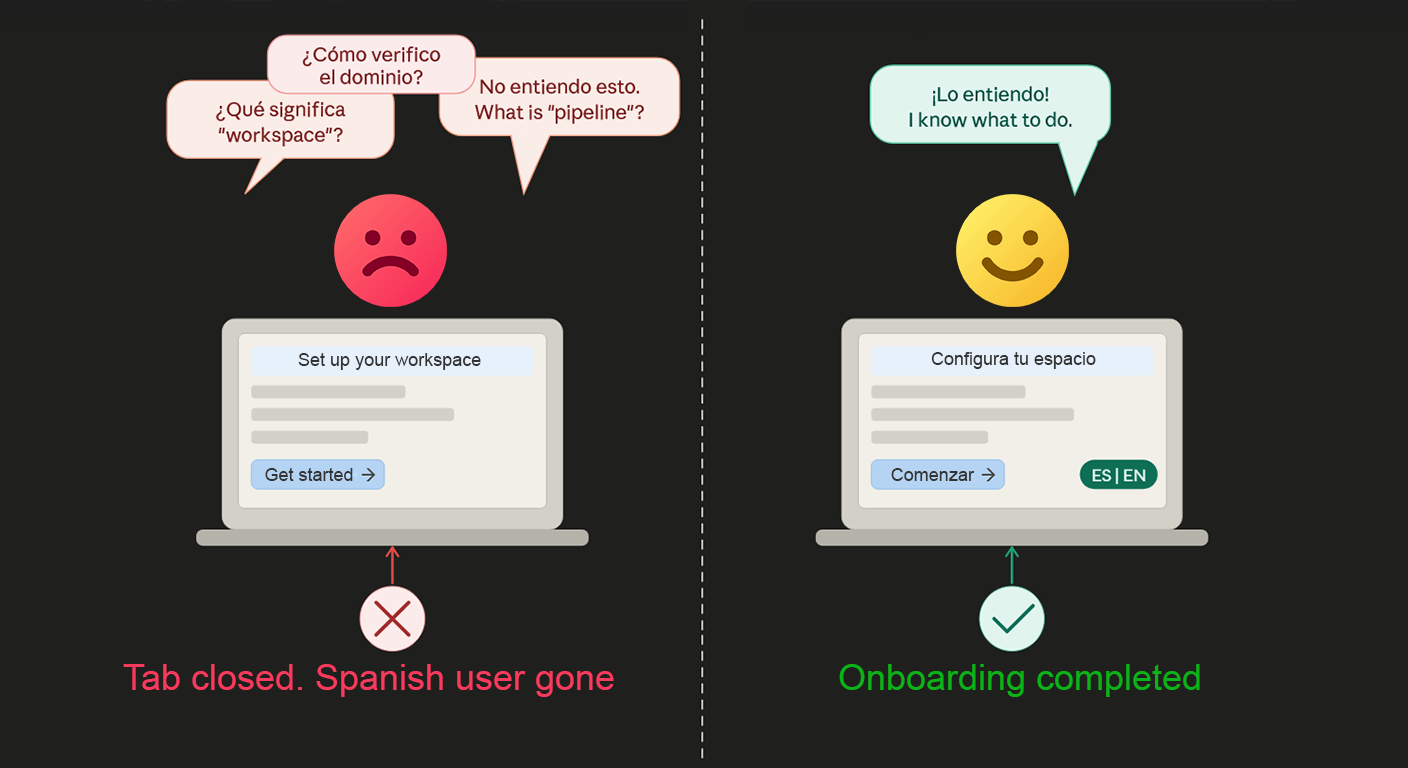
You spent months building your product. The landing page converts. People sign up. And then — nothing. They create an account, look at the first screen, and disappear. No upgrade, no engagement, no second login.
This is one of the most frustrating problems on websites, and most teams spend their time fixing the wrong things. They redesign the onboarding flow. They shorten the steps. They add tooltips. They A/B test button colors. Sometimes that helps a little. But there’s one thing most teams never check: can the user actually read what’s on the screen?
The onboarding drop-off problem is real and it’s expensive
Samuel Hulick, who has studied onboarding flows for years at UserOnboard, made a point that stuck with a lot of product teams: people don’t buy products, they buy better versions of themselves. When someone signs up for your online tool, they have a goal in their head. They want to save time, make more money, organize their work, or solve a specific problem.
The moment onboarding stops making sense to them — for any reason — that goal disappears. They don’t think “I’ll figure it out later.” They just leave.
According to data from Mixpanel’s 2023 Product Benchmarks report, the average app loses about75% of new users within the first week. For many online products, the biggest drop happens within the first session — sometimes within the first few minutes. Users hit a wall, and that wall is usually one of three things: confusion about what to do next, a feature that doesn’t work as expected, or content they simply cannot understand.
That third one is what we’re talking about here.
What actually happens when a user can’t read your onboarding
Picture this. Someone in the Netherlands finds your project management tool through a Google search. They read enough of the landing page (with help from their browser’s rough auto-translate) to think it looks useful. They sign up with their email. They confirm the account. They land on the dashboard.
And now they’re looking at tooltips, onboarding checklist items, empty state messages, and helper text — all in English. Their English is okay for casual reading, but technical product language is different. “Set up your workspace,” “invite collaborators,” “configure your pipeline” — these phrases require a certain level of fluency to understand instantly. Even one moment of hesitation — “wait, what does this mean exactly?” — breaks the flow.

They don’t complete the first step. They close the tab and go back to looking for something else.
This is not a hypothetical scenario. It happens every single day in products that only exist in one language. And the worst part is you can’t see it clearly in your analytics. The user just shows up as a churned free trial. No exit survey filled out. No feedback submitted. Just gone.
Why language friction is different from other onboarding friction
Most onboarding problems are visible. If users are stuck on a specific step, you see it in funnel drop-off data. If a button doesn’t work, you get error reports. If a concept is confusing, you get support tickets.
Language friction is almost invisible. Users don’t write to support saying “I didn’t understand the English.” They just leave. And because they leave so early — often before they’ve even done one meaningful action — they don’t show up in your engagement data at all. They’re just a number in your sign-up count that never converted.
There’s also a psychological side to this. When someone reads instructions in their native language, they feel confident. They feel like the product is for them. When they’re reading in a second or third language and they hit a term they’re not 100% sure about, there’s a small moment of doubt. Multiply that by five or six moments across a single onboarding flow, and that doubt becomes “this product seems complicated” — even if it isn’t.
Which parts of onboarding hurt most when they’re in the wrong language
Not every screen matters equally. Some parts of your product can be in English and users will manage fine. But onboarding is not one of those parts.
Empty states
When a user first logs in and there’s no data yet, the empty state message is the first thing they read. It usually tells them what to do: “Create your first project,” “Add your team members,” “Connect your account.” If they don’t fully understand this, they sit there and stare at a blank screen. Most will give up within 30 seconds.
Onboarding checklists
Many websites use a checklist to guide new users through setup. Each item needs to be clear and actionable. “Verify your domain,” “Upload your logo,” “Set your timezone” — these are simple in English, but if the user isn’t a native speaker, they might not know what “verify” means in a technical context, or what a “domain” refers to exactly. They skip the item, or they guess wrong, and the whole flow breaks down.
Tooltips and helper text
These are the small pieces of text that appear next to fields, buttons, and settings to explain what they do. They’re almost always written in very compressed language — one or two sentences that assume the user understands certain terms. In a second language, compressed technical text is harder to parse than full sentences. Users often skip tooltips, especially if they can’t quickly understand them.
Error messages
This is probably the most critical one. If a user fills in a form incorrectly and gets an error message they don’t understand, they don’t know how to fix it. They try again randomly, get the same error, and quit. A translated error message that says exactly what went wrong — in plain language the user understands — is the difference between fixing the problem and losing the user.
Confirmation and success messages
“You’re all set!” “Setup complete!” “You did it!” — these small moments of positive reinforcement actually matter during onboarding. They create a sense of progress and momentum. If a user doesn’t quite understand them, that moment of satisfaction doesn’t land. It’s a small thing, but onboarding is built out of small things.
The countries where this matters most right now
SaaS adoption is genuinely global. It is not just a US or UK thing anymore. Markets that are growing fast in SaaS usage include Brazil, Germany, France, Japan, Poland, the Netherlands, Spain, Mexico, and South Korea. These are not small markets.
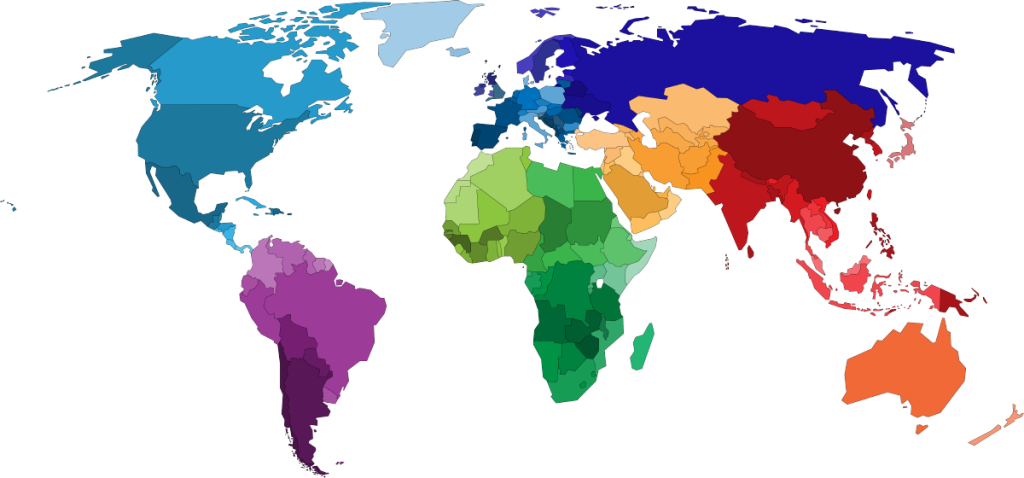
Let’s look at some real numbers. Brazil has over 170 million internet users. Germany has one of the highest rates of SaaS adoption in Europe. Japan’s software market is worth hundreds of billions of yen and is still growing. Poland has a very active tech startup and SMB ecosystem that actively adopts foreign SaaS tools.
In all of these countries, English proficiency varies. In Germany and the Netherlands, English fluency is relatively high. In Brazil, Japan, and France, it’s significantly lower. A Brazilian small business owner signing up for your invoicing tool probably knows basic English but will struggle with technical product language. A Japanese user who found your analytics tool might understand the numbers fine but get completely lost in the onboarding copy.
These are paying customers you can reach. They want your product. They found you. They just need to be able to use it.
What improving multilingual onboarding actually does to your metrics
When users can read onboarding content in their own language, a few things happen in sequence.
First, completion rates go up. They finish the steps because they understand what each step is asking them to do. Second, time-to-value drops. They get to the “aha moment” — the moment when the product proves its worth — faster. Third, they’re more likely to come back. A user who successfully completed onboarding and understood what they were doing is far more likely to log in again than someone who half-finished and wasn’t sure what they’d even done.
And from an SEO and growth perspective, there’s another effect. Users who actually engage with your product are more likely to share it, recommend it, or leave a review. Reviews and word-of-mouth from non-English speaking markets are often completely missed by teams because they never got those users to a point of success in the first place.
How to actually fix this without rebuilding everything
The most practical solution for most online products and marketing sites is to start with the public-facing parts first — the landing page, the sign-up flow, and the first-login experience. These are the pages with the highest drop-off risk, and they’re also the easiest to translate without touching your core app code.
This is exactly whereTranslate.jsfits in. You add one line of code to your site, choose which languages you want to support, and the tool handles translation automatically across your pages. You can pick the design of the language switcher, set custom colors to match your brand, and edit any translation manually if you want to adjust the wording for a specific market.
On the SEO side, it also handles hreflang tags, translated meta titles, meta descriptions, and canonical tags automatically — so Google can properly index your content in multiple languages and route the right users to the right version of your page.
For WordPress-based marketing sites or documentation pages, there’s a published WordPress plugin that handles the setup without any code at all.
You don’t need to translate your entire app on day one. Start with the onboarding flow, the sign-up pages, and the first-login screen. That’s where users are most vulnerable to dropping off, and that’s where a translated experience will have the biggest immediate impact on your activation rates.
The real cost of doing nothing
Every month you run an English-only onboarding, you’re losing users you already paid to acquire. They clicked the ad, they found the organic result, they went through the sign-up form. The acquisition cost was spent. And then they left because they didn’t understand what to do next.
That’s not a traffic problem. That’s not a product problem. That’s a language problem, and it has a straightforward fix.
Make your website multilingual
Break language barriers and connect with audiences worldwide. Expand your reach, grow your business, and go global today.
No credit card required